Delays rarely come from rendering alone, they are usually the result of unclear communication, missing data, or inefficient workflows. That’s why if you truly want to speed up 3D rendering, you need to optimize not just the technical side, but the entire project pipeline.
Based on real industry practices, the fastest projects are not necessarily the ones with the best hardware but the ones with the clearest inputs, smartest preparation, and most structured collaboration.
Join MR Rendering in exploring the detailed insights below to discover effective ways to speed up 3D rendering, optimize your workflow, and reduce project turnaround time without compromising visual quality.
Define Project Purpose Early to Eliminate Rework
One of the most powerful ways to speed up 3D rendering happens before the first polygon is even created.
Clearly defining the purpose of your renderings whether for marketing, investor presentations, or planning approvals ensures that the entire process is aligned from the start. When this step is skipped, teams often produce visuals at the wrong level of detail or style, leading to costly revisions later. According to industry insights, clearly specifying project usage helps avoid miscommunication and ensures the final output matches expectations from the beginning.
For example, a real estate marketing image should focus on emotional storytelling, while a technical visualization prioritizes accuracy. Understanding this distinction allows teams to allocate time and resources more efficiently.
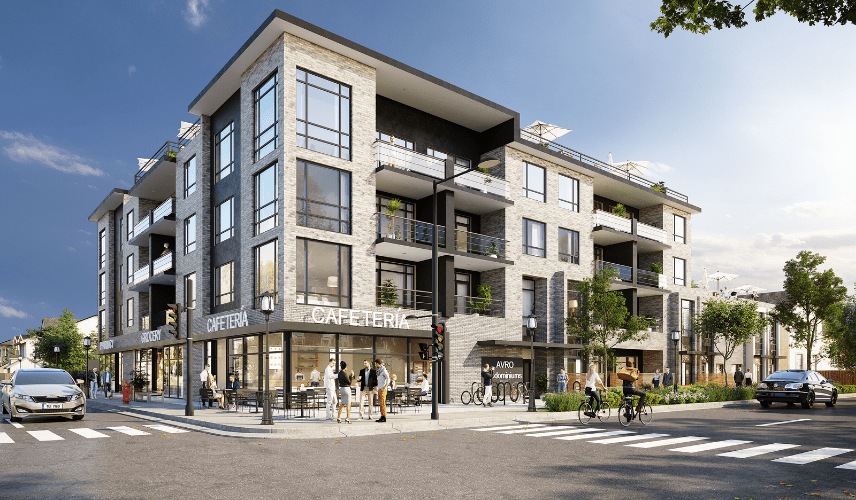
Clearly defining the project purpose from the start helps eliminate unnecessary revisions and is the first step to speed up 3D rendering
Understand the Target Audience to Avoid Iteration Loops
A common but underestimated cause of slow rendering workflows is not knowing who the visuals are for.
When the target audience is unclear, designers tend to make assumptions often resulting in multiple revision cycles. Each revision adds hours or even days to the timeline.
By clearly defining the audience’s expectations, preferences, and emotional triggers, 3D artists can create visuals that resonate immediately, reducing the need for changes. This significantly helps to speed up 3D rendering by minimizing feedback loops .
In practice, this means:
- Knowing whether the audience values realism or concept
- Understanding lifestyle expectations in real estate visuals
- Aligning composition and atmosphere with user intent
Provide Existing 3D Models to Skip Time-Consuming Stages
Modeling is one of the most time-intensive parts of any 3D project. Rebuilding geometry from scratch can consume a large portion of the timeline.
If you already have models created in software like Revit or SketchUp, sharing them can significantly accelerate production. Instead of starting from zero, artists can immediately move into refinement and rendering.
This approach not only helps speed up 3D rendering but also improves accuracy and consistency across the project. Studies show that using pre-existing models allows teams to skip entire phases of production and reduce potential errors.
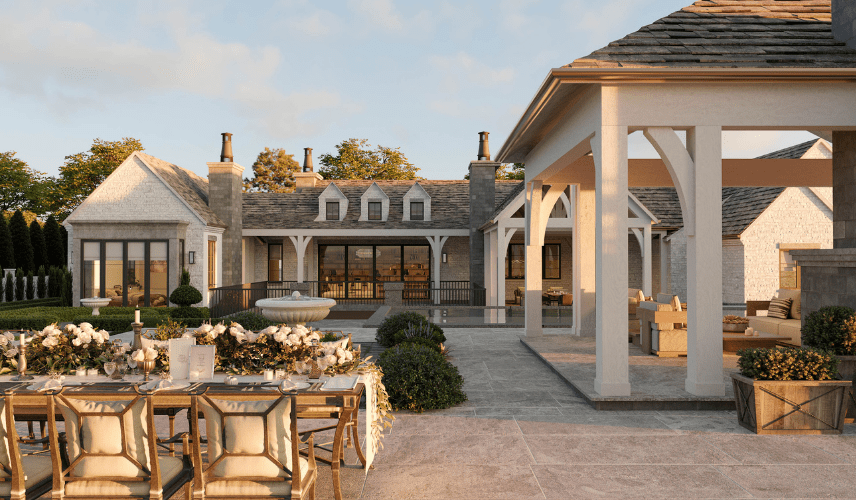
Using existing 3D models allows teams to skip modeling stages and significantly speed up 3D rendering
Deliver Detailed Drawings and Context References
Another critical factor in speeding up rendering workflows is the quality of input data.
Incomplete or vague information forces artists to make assumptions, which often leads to revisions. On the other hand, providing detailed drawings such as floor plans, elevations, lighting layouts, and site context creates a solid foundation for faster execution.
For example, when working on projects like , accurate documentation ensures that spatial relationships and design intent are captured correctly from the beginning. Additionally, location references such as site photos or maps help artists better understand environmental context, reducing guesswork and improving efficiency.
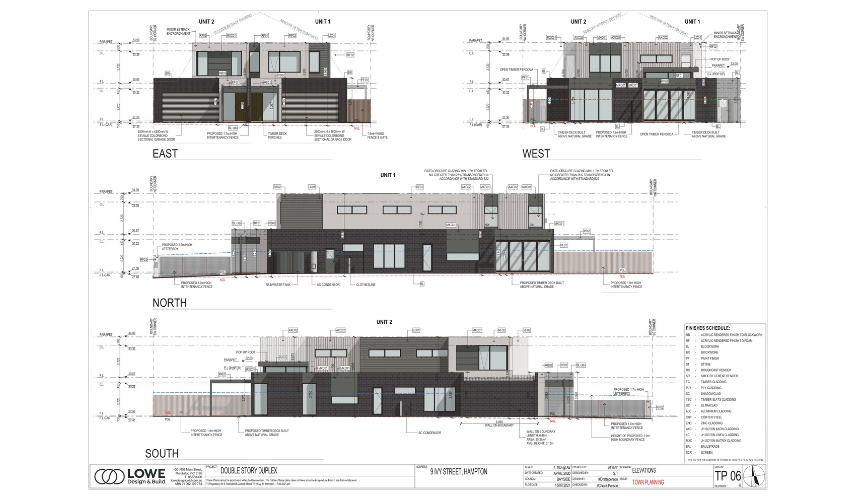
Accurate drawings and clear references minimize guesswork and help speed up 3D rendering from the very beginning
Use Clear Material and Texture References
Material definition is another area where time is often lost unnecessarily.
When no references are provided, artists must experiment with textures and finishes, which can lead to multiple iterations. However, supplying clear material samples or visual references allows for faster and more accurate execution.
This step is essential not only for realism but also for workflow efficiency. By eliminating uncertainty, teams can focus on execution rather than exploration helping to speed up 3D rendering significantly.
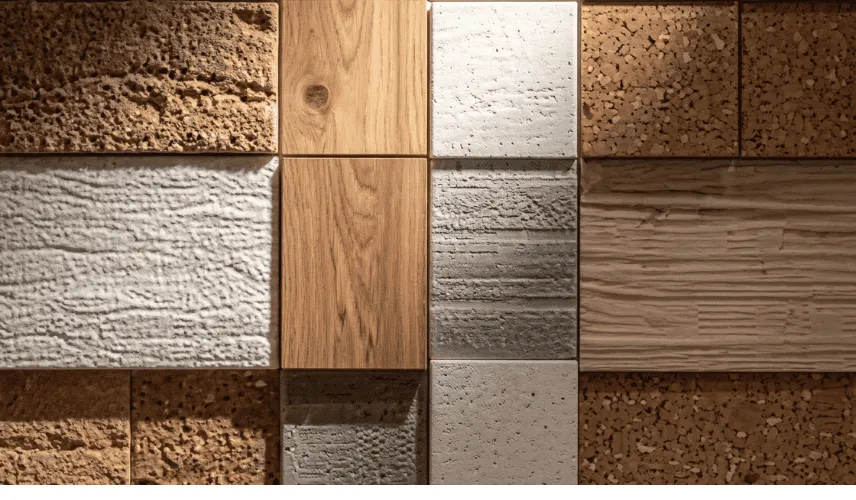
Clear material references help reduce trial and error, making it easier to speed up 3D rendering workflows.
Highlight Key Features to Guide Focus
Not every element in a scene deserves equal attention. One of the smartest ways to improve both speed and quality is to clearly define the focal points of your project.
By identifying key architectural features, selling points, or design highlights, you allow artists to prioritize what truly matters. This prevents unnecessary detailing in less important areas and ensures that effort is concentrated where it delivers the most impact.
In large-scale projects like , this approach is especially valuable, as scenes can become extremely complex if everything is treated equally.
Define the Desired Mood and Atmosphere
Visual storytelling plays a huge role in architectural rendering, but it can also become a bottleneck if expectations are unclear. Describing the desired atmosphere such as lighting conditions, weather, time of day, or emotional tone helps artists align their work with your vision from the start.
Providing reference images or mood boards is one of the fastest ways to communicate this. It reduces ambiguity and ensures that the final output meets expectations without multiple revisions.
Clear direction in this stage can dramatically speed up 3D rendering by eliminating trial-and-error processes.
From defining clear goals and understanding your audience to providing accurate data, guiding artistic direction, and optimizing workflows each step plays a crucial role in reducing production time. The biggest improvements don’t come from a single trick, but from aligning every part of the process. When communication is clear and preparation is strong, rendering becomes faster, smoother, and far more efficient.
In a competitive industry driven by deadlines and visual impact, mastering these strategies will give you a clear advantage helping you deliver high-quality results faster than ever before.

Content Writer, Copy Writer
Thao Nguyen is a content writer specializing in 3D rendering, with a strong focus on translating complex visual and technical concepts into clear, engaging content. Through carefully crafted narratives, Thao highlights the creative value and practical impact of 3D visualization, helping audiences better understand and connect with the work behind each image.